EasySell
How much should AI decide - and how much should stay with the seller?
Year :
2026
Industry :
Online Marketplace
Role :
Product Design, UX/UI, AI-assisted build
Project Duration :
Ongoing

EasySell turns a set of photos into a personal second-hand store. AI drafts the listings, the seller stays in control, and buyers reach out directly on WhatsApp.
01 - The repetitive part wasn’t hard. It was repetitive.
Selling one item is simple. Selling ten means doing the same small tasks - photographing, describing, pricing - once for every item.
EasySell starts from what sellers already have: photos. AI identifies the products and prepares a first draft. The seller decides what happens next.


02 - AI drafts. The seller decides.
Generated titles, categories and prices can be wrong, or missing context only the seller has. So the output is treated as a draft, not an answer: editable, reviewable, and never published without the seller’s approval.
The question was never what AI could generate. It was how much authority it should have.
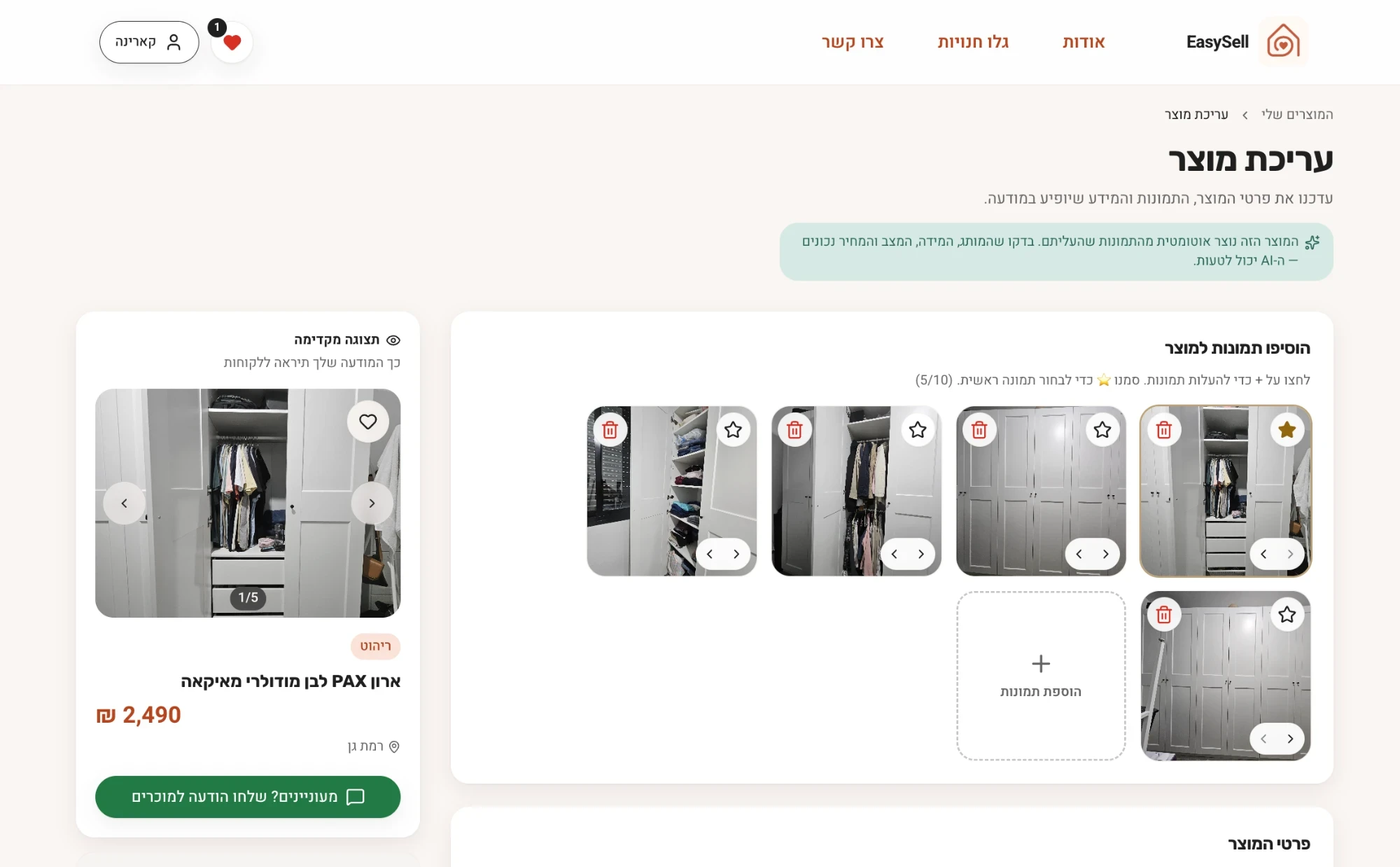
- 1AI-generated draft: the banner says the product was created from the photos and asks the seller to check it.
- 2Seller edits: photos can be removed, starred as the main image, or added.
- 3Live preview of how the listing will look to buyers.
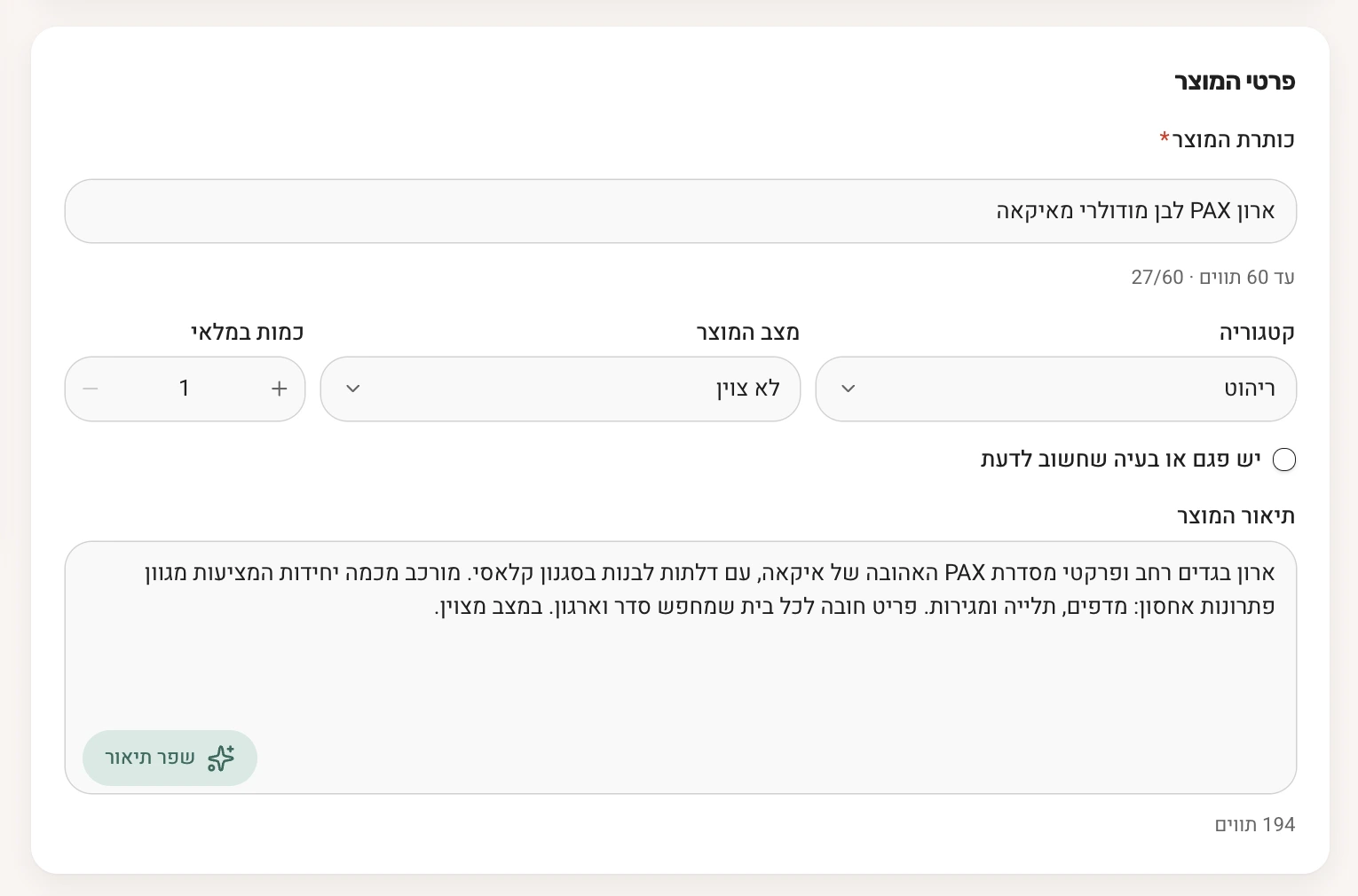
03 - A price, a safety note, one WhatsApp message.
A marketplace between strangers needs trust, and version one deliberately has no ratings, seller verification or on-platform payments. Three decisions shaped what it does offer instead:
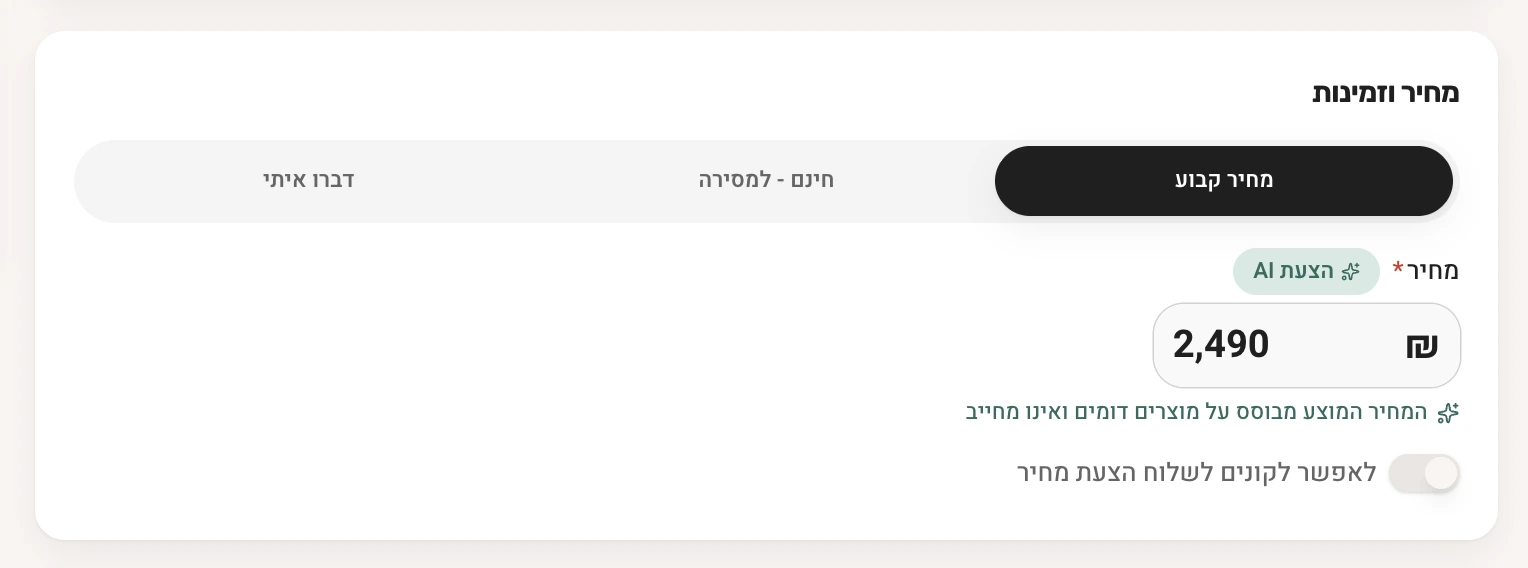
Suggested, not fixed
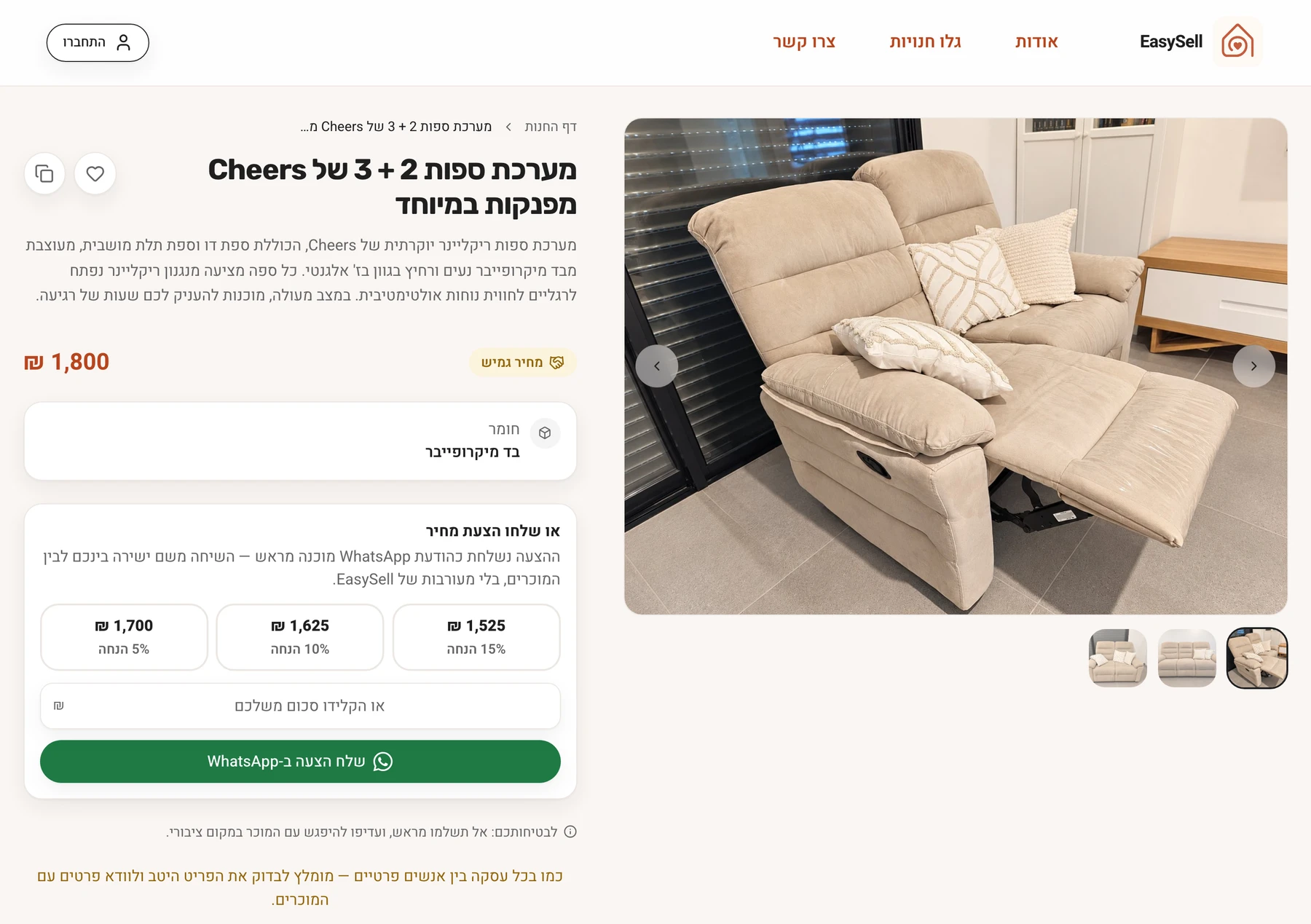
The AI price is labelled as a suggestion based on similar products, not binding - and the seller can override it.
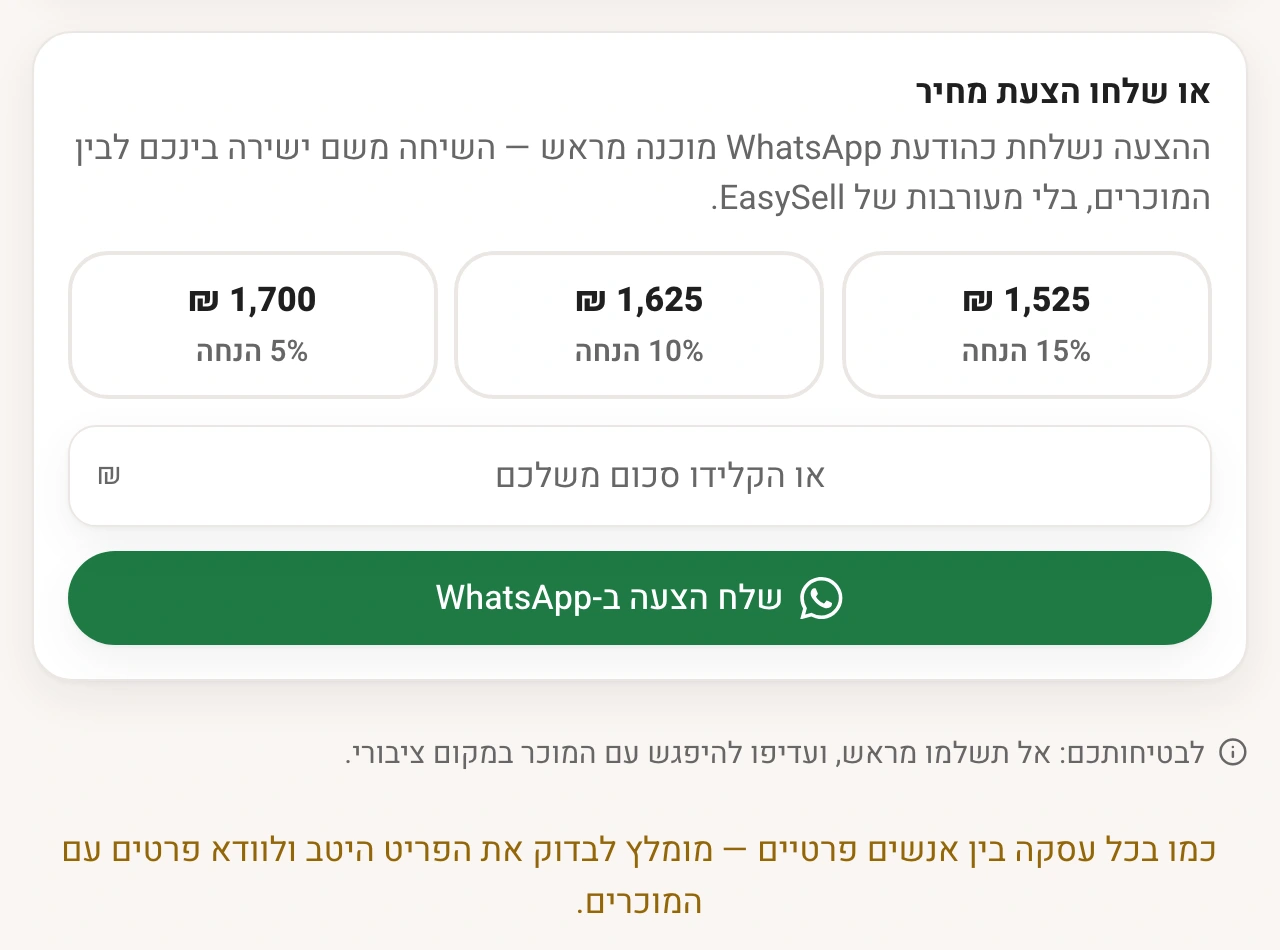
Safety at the point of contact
The safety note sits right under the button that opens WhatsApp: don’t pay in advance, meet in a public place. The product connects strangers off-platform, so the warning lives where the contact happens.
One inquiry, multiple items
Buyers select several products and send one consolidated WhatsApp message instead of one message per item - a small decision that removes a repeated friction for anyone browsing more than one listing.
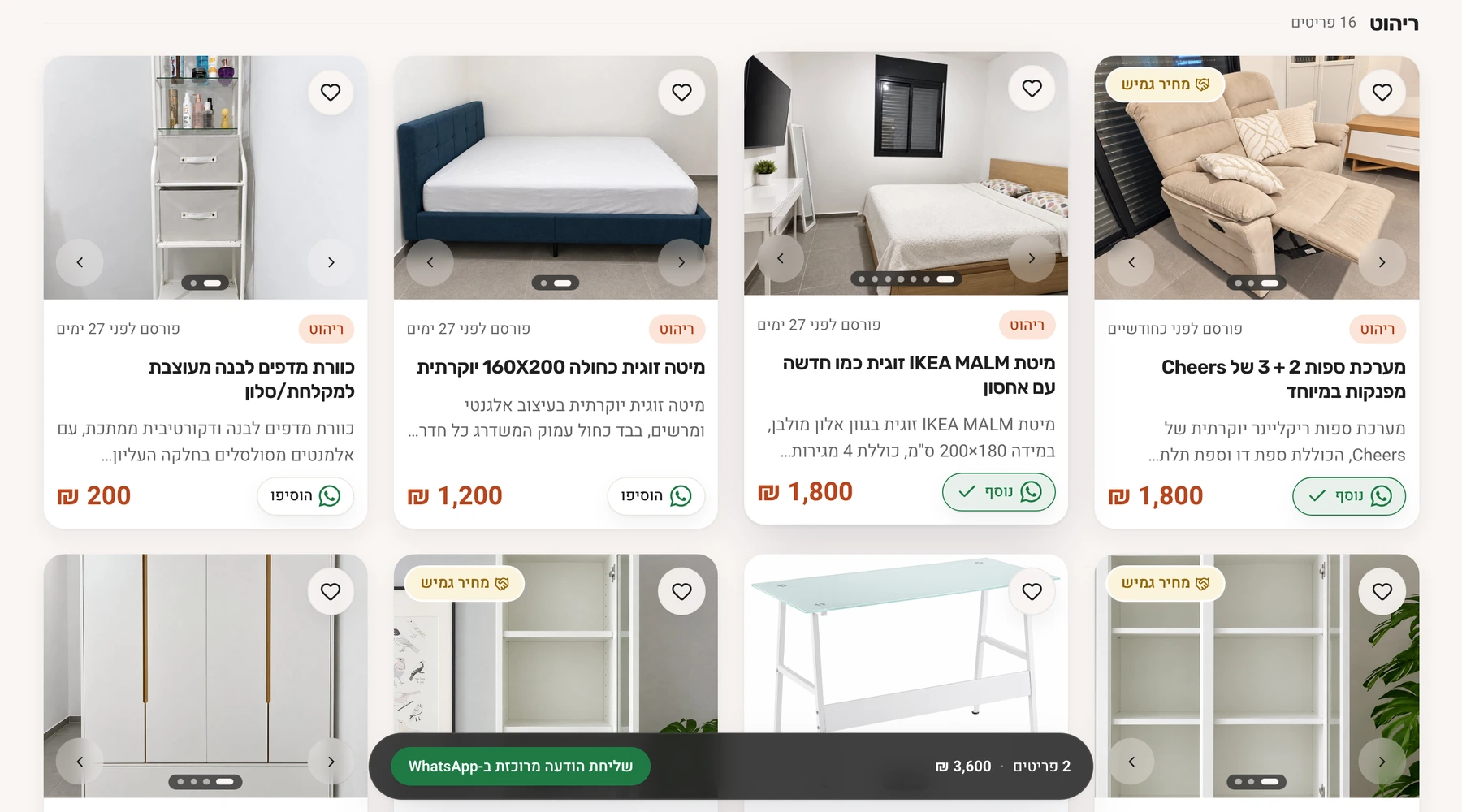
04 - What I chose not to build
Version one is intentionally narrow. Four things were left out:
- On-platform payments and checkout. Buyer and seller connect on WhatsApp. Payments bring regulation and operations that don’t fit a first version.
- Escrow or “protected purchase”. It carries operational and legal weight a first version can’t carry.
- A shopping cart. Contact happens on WhatsApp, so a cart would add a step without adding value. Buyers send one consolidated message instead.
- Ratings and verified-seller badges. Ratings without a volume of users say nothing.
Instead, a general caution note sits next to the contact button.
05 - Managing is a different job than creating.
Once products are live, the seller isn’t creating anymore - they’re managing: what’s published, what needs editing, what people are actually responding to.
That happens inside the same space where the store was built - tabs for all products, published, drafts and sold - not a separate screen the seller has to learn.
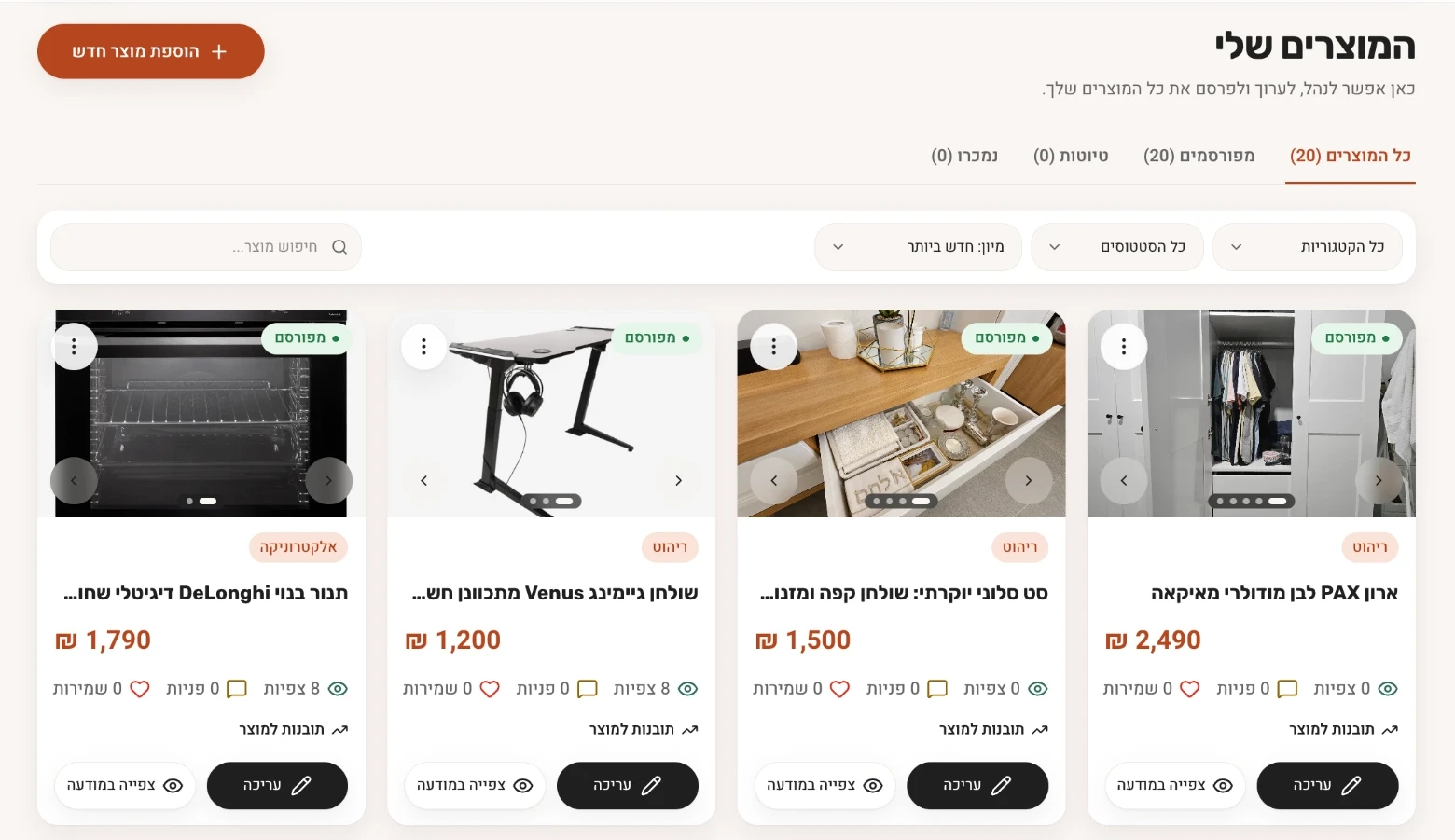
- 1Status on every product - published or draft.
- 2Views, inquiries and saves per product, without opening it.
- 3Edit or preview the live listing in one tap.
06 - Numbers only matter if you can read them.
Store-level and per-product trends - views, saves, price offers, WhatsApp inquiries - live inside the same management page, with a 30/90-day toggle.
Overlaying every metric on one chart doesn’t work: metrics with very different scales compress into flat lines - a WhatsApp inquiry next to dozens of views looks like it disappeared, even when it didn’t. So the chart shows one metric at a time, selected explicitly, with its own scale.
Illustrative data - not real numbers
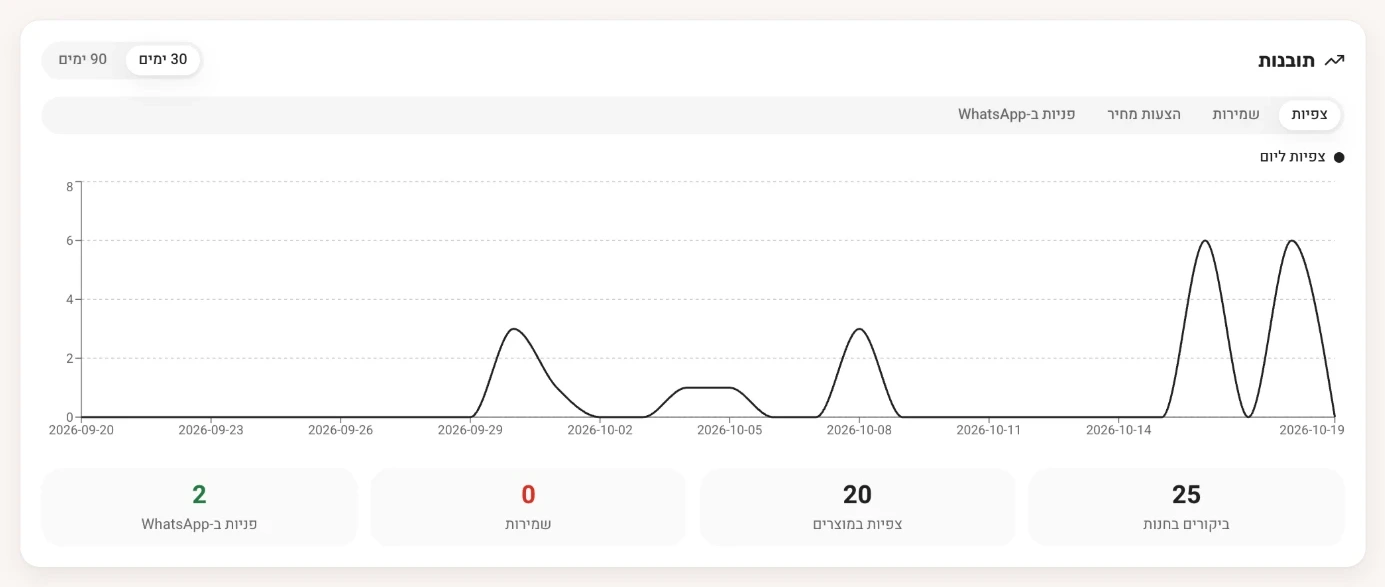
- 1One metric at a time, with its own scale - switched with these tabs.
07 - Built as a real product, not a prototype.
EasySell wasn’t designed and handed off - it was built, with AI-assisted development tools, and iterated on directly in the browser.
Building it early meant seeing what a static screen hides: how an AI suggestion actually looks when it’s wrong, how different content lengths behave, what loading states and responsive layouts do. Those became design decisions instead of surprises later.
Built with Lovable, using Claude and Gemini for thinking and code, and GitHub for version control.
08 - What changed after testing
I tested informally with people around me, not in a formal study. Four things changed because of it:
- Photos first, not voice. The first version started from a voice recording. After watching people use it, photos turned out to be the more natural starting point, so the flow was rebuilt around them.
- Editing on the seller’s terms. Products used to open straight into edit mode, which confused people. Now the seller chooses when to edit.
- Published or not. After a product was uploaded it looked live, but the store itself was not yet published. The status is now stated explicitly.
- What the seller sees. Deciding which numbers a seller should see per product, and how to show them, took several iterations before it became the current insights view.
09 - What’s actually still unknown
EasySell is a live personal project, not a validated product. That’s worth saying plainly rather than dressing up as results.
Four open questions, not four metrics:
- Time to publish - does the AI-assisted flow actually save time across multiple items, or just feel faster?
- Correction rate - which AI-generated fields do sellers change most, and what does that say about where the model needs more context?
- Pricing trust - does a comparable-based suggestion reduce uncertainty, or just add one more number to check?
- Store sharing - do sellers prefer one store link, or sharing individual products?